
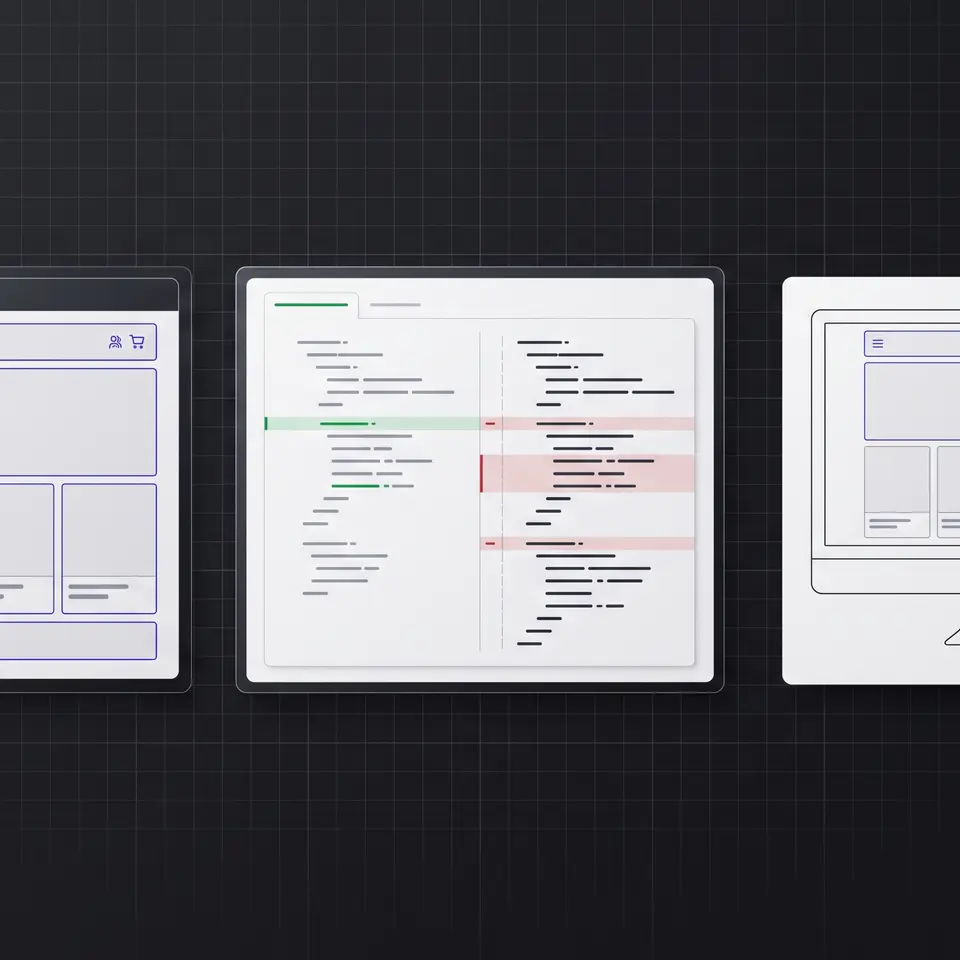
The best website builder is the one that fits the work you need to review after the first draft. Runner AI can start from a public URL or approved screenshot plus your brand, catalog, and route requirements, then return editable storefront files, a changed-file diff, and responsive previews. That makes the result inspectable before anyone decides to publish it.
Evaluate the best website builder by its inputs and outputs
Most website-builder comparisons begin with templates, drag-and-drop controls, plan limits, or the speed of creating a first page. Those factors are useful, but they do not show how a tool handles the evidence your project already has. A store team may arrive with an existing public site, an approved screenshot, brand rules, product facts, required routes, and a specific shopper action. A useful evaluation asks whether the builder can use those inputs without flattening them into a generic theme.
Runner AI accepts a public HTTP or HTTPS page as visual evidence and can capture a full-page screenshot for layout analysis. Its website-capture workflow can also gather visible content, fonts, images, stylesheets, and structural signals from a permitted public URL. Those findings become implementation context inside the storefront project. They are not permission to reuse protected assets, private behavior, or unsupported claims, so the operator must provide rights-cleared materials and verified business facts.
The output matters just as much as the input. Runner writes or revises storefront files in its sandbox workspace and records changed-line evidence for file operations. The result can therefore be inspected as implementation, not only admired as a generated picture. If starting from a specific reference is the main job, the AI website cloning workflow explains that narrower path in more detail.
Compare a closed canvas with a reviewable code workflow
A visual canvas can be a good fit when the site is simple, the available sections cover the design, and the team wants to manage every change through one vendor’s editor. The tradeoff appears when a change falls outside the available controls or when technical reviewers need to understand what actually changed. A polished preview alone may not reveal duplicated logic, broken routes, inaccessible controls, missing states, or content that no longer matches the catalog.
Runner AI takes a different approach: the conversation directs work, but the deliverable remains editable code in the project. A user can ask for a homepage, collection route, product comparison, or focused redesign without naming every component or file. Runner can create the implementation, surface the affected files, and keep the running storefront available for review. The user does not have to write code to direct the work, while a developer can still inspect the result when deeper assurance is needed.
This distinction helps teams compare convenience without confusing it with opacity. The relevant question is not simply whether a builder removes manual coding. It is whether the team can verify the resulting customer experience, request a bounded correction, and retain an implementation that can evolve. The no code website builder page covers this prompt-to-code model for operators who want to direct storefront work in plain language.
Require a responsive preview and changed-file evidence
Website builders often advertise responsive themes, but a theme label does not prove that a particular page works for its actual content. Long product names, uneven images, variant selectors, promotional copy, navigation depth, and checkout handoffs can all change the layout. A meaningful review needs the real page running at relevant widths, with the routes and content states that shoppers will use.
Runner’s workflow keeps the implementation and preview connected. Reviewers can open the working storefront, compare desktop and mobile layouts, and trace a visible problem back to the changed files. If the hierarchy is unclear or a card breaks at a narrow width, the next instruction can name that section and constraint instead of asking for a complete rebuild. The revision remains grounded in the same project and source evidence.
Changed-file evidence also makes the review boundary explicit. It shows which files were created or edited and gives the team a concrete surface for checking navigation, semantics, styling, and integration assumptions. It does not replace testing. Forms, accessibility, analytics, performance, authentication, catalog truth, and checkout ownership still need checks appropriate to the project. It does make those checks easier to aim because the proposed change is visible as both code and behavior.
Choose for the work that continues after launch
The best website builder should support the second change as well as the first. Storefronts keep moving: products change, campaigns need new destinations, customer questions expose missing explanations, and mobile behavior needs adjustment. A platform can feel fast during setup yet create friction later if every unusual request requires a plugin, a fresh template, or a manual handoff to another environment.
Runner AI keeps the brief, captured reference, storefront files, and preview in the same working context. A team can return with a focused request such as preserving the navigation while replacing the hero, adding a comparison route from verified catalog fields, or correcting the mobile order of a section. Reviewers can inspect the new diff and preview before the publishing decision. That continuity is the practical differentiator for teams that want AI-assisted implementation without surrendering reviewability.
Selection should still follow the site’s real requirements. Confirm who owns hosting, domains, content, code, customer data, and connected services. Check how the project handles backups, accessibility, search metadata, analytics, performance, security, and future exports. Runner can prepare and revise the customer-facing implementation, but your team remains responsible for verified product facts, rights, operational systems, and release approval. Browse the Runner AI feature catalog for adjacent storefront, marketing, conversion, and commerce workflows.
If the main requirement is to restructure an existing store rather than choose a new starting point, review the ecommerce website redesign workflow.
Best website builder FAQ
What should I compare when choosing the best website builder?
Compare the inputs the builder accepts, the form of its output, responsive review, revision workflow, code or data portability, commerce support, and the checks required before publishing. For Runner AI, useful inputs include a public URL or approved screenshot plus verified brand, catalog, route, and shopper requirements. The reviewable output includes editable storefront files, changed-file evidence, and a working responsive preview.
Can Runner AI use an existing website as a reference?
Yes, Runner AI can capture a permitted public HTTP or HTTPS URL and analyze its visible screenshot, content, assets, fonts, and layout signals. Use only pages and materials you own or are authorized to reproduce. A public reference cannot reveal private services, databases, policies, or authenticated behavior, so provide those requirements separately and verify them before release.
Does Runner AI only return a generated website preview?
No. Runner AI works in the storefront project’s sandbox workspace and creates or revises the underlying files. File operations include changed-line evidence, and the running storefront provides a visual review surface. This lets an operator assess the customer-facing result while a technical reviewer can inspect the implementation, routes, and affected files before any publishing decision.
Can I ask for changes after the first storefront draft?
Yes. Give Runner AI a focused correction tied to the current preview, such as a mobile breakpoint issue, an incorrect content hierarchy, a missing route, or a section that conflicts with verified catalog facts. Runner can revise the project in the same working context, after which you can review the updated files and responsive result rather than restarting from a blank template.
What still needs human review before publishing?
Confirm content rights, product names, prices, variants, inventory assumptions, policies, navigation, forms, accessibility, responsive behavior, performance, analytics, search metadata, security, and connected checkout or service paths. Runner AI can prepare reviewable storefront code and previews, but it does not turn uncertain inputs into verified facts or remove the team’s responsibility for approving a release.